

INDUSTRY
Retail displays across storefronts, sales floors and shelves
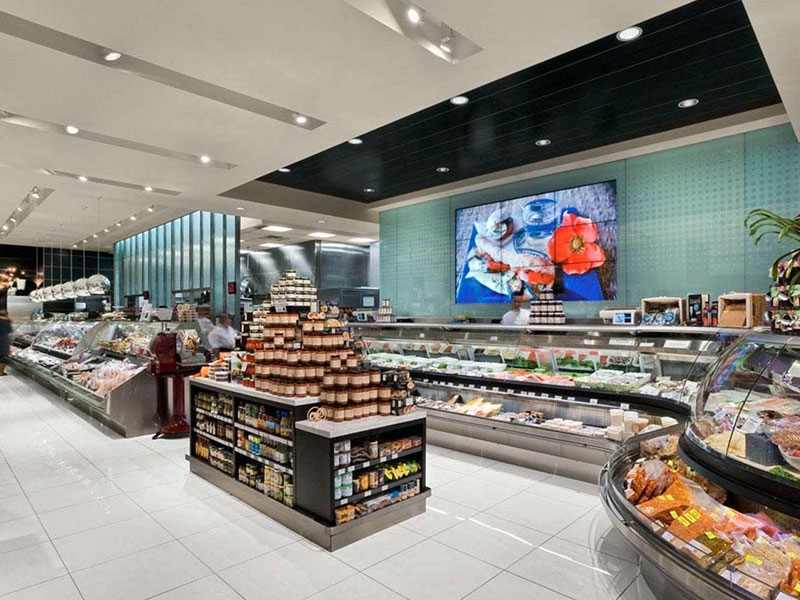
Retail displays work best when they have a clear role in the shopper’s journey. A window screen introduces a seasonal campaign; an in-store display explains an offer; shelf-level messaging brings information closer to the product. Spectracolor plans digital signage around these different moments, helping retailers create consistent branded environments while adapting the display system to each location.

BUSINESS VALUE
Keep retail communication relevant
Keep pace with changing promotions
Product launches, seasonal ranges and short campaigns can leave printed material out of date. Plan where digital messages are needed, who updates them and how expired offers are removed, so the screen remains useful throughout the trading day.
Put the message where shoppers decide
A display competing for attention at the entrance has a different job from one beside a product range. Match the message, screen position and reading time to customer movement, rather than repeating the same content everywhere.
Give every branch a consistent identity
Customers should recognise the campaign across stores, even when shopfronts and interiors differ. A coordinated approach to screen formats, content placement and visual standards helps local installations support the same brand.
VISUAL REFERENCES
Real display environments

APPLICATIONS
Displays across the retail journey
Storefronts and windows
Digital window displays can present promotions, launches and brand content to people outside the store. Selection should account for daylight, reflections, viewing angles and the space behind the glass. Where keeping views through glazing matters, transparent LED is an option to assess against content clarity and the required visual effect.
In-store communication
Use promotional screens for focused offers and customer information, with indoor LED displays for larger visual features or product storytelling. Position them where shoppers can see the message without obstructing circulation. Information kiosks may suit locations where customers need to explore products or find their way; they need a clear purpose and an appropriate content workflow.
At the shelf
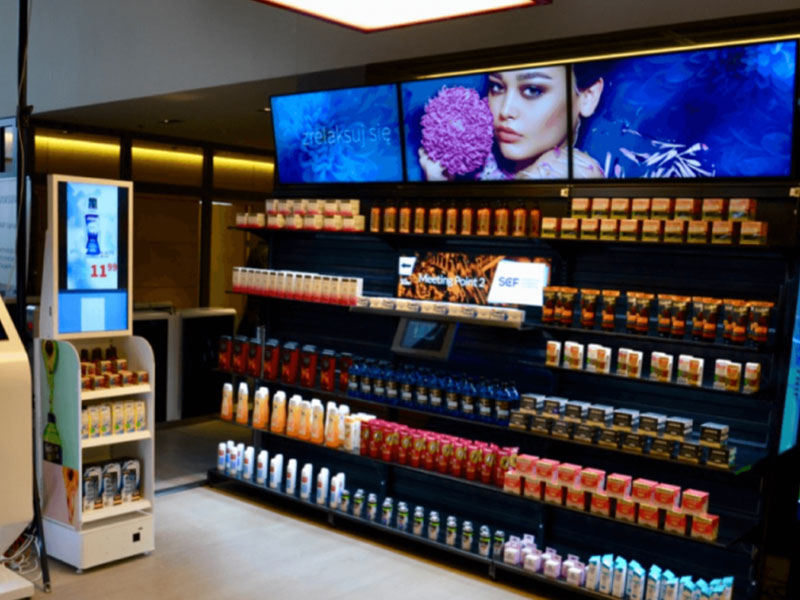
Digital shelf edge displays place product information, category messages and promotions beside the merchandise. Plan for close viewing, readable content and alignment with the shelf layout. Keep shelf messages consistent with the wider campaign, and define how updates will be checked before they reach the store.
Coordinated campaigns and retail media
For multi-branch retail, agree common campaign assets and display formats while allowing for local ranges and layouts. Where screens carry supplier or brand-funded retail media, define the available placements, content responsibilities and approval process. The display plan should support that commercial model without competing with essential customer information.
PROCESS
Plan the system around the store
Assess each location
Start with viewing distance, ambient light, available space and intended content. Higher resolution alone does not determine the right screen. Brightness, image detail and placement should suit how shoppers actually use the area.
Standardise without ignoring differences
Set a repeatable approach for branches, then adapt dimensions, mounting, brightness and content placement to each building. Coordinate power, interior finishes, operating hours and service access before installation, including how work can fit around trading.
Coordinate delivery and support
Spectracolor brings consultation, system selection, engineering and installation into the retail display brief. For a rollout, agree the sequence of locations, testing and handover requirements, and support arrangements so store teams know how the system will be used and maintained.
NEXT STEP
Discuss your retail display plans
Tell us your store type, number of branches, proposed display locations and campaign objectives. Dimensions, viewing distances and photos of the space help us assess a suitable approach.
Talk to Spectracolor →