
SOLUTIONS
Explore display solutions by space, audience and objective
Choosing a display solution starts with understanding what the space needs to communicate, who needs to see it and where that communication takes place.

A storefront has different requirements from a reception area. A menu above a counter is viewed differently from a large-format display across a public space. A directory, promotional screen or architectural installation may use similar display technologies but serve very different purposes.
This Solutions Hub helps identify the most appropriate direction before the project moves into product selection or technical design.
Start with what the display needs to communicate
The first question is not necessarily which screen to buy. It is what the display needs to communicate.
Some projects are focused on promotional content. Others need information, menus, directories, announcements, product presentation or visual content integrated into the architecture.
The intended message, viewing distance, audience movement and frequency of content changes all influence the type of solution that should be considered.
Where the requirement involves a broader screen network or coordinated content across several display locations, a digital signage approach may provide the right starting point.
Choose the role before the display format
Different display formats are suited to different roles.
Indoor LED can support larger visual surfaces and feature walls. Outdoor displays are designed around exterior viewing conditions. Kiosks can provide a dedicated position for information or defined interactive applications. Menu boards, shelf-edge displays and window displays each serve more specific communication roles.
Rather than forcing one technology into every environment, the display format should follow the application.
Visitors who already know the type of hardware they are considering can explore the available display products and product families in more detail.
VISUAL REFERENCES
Real display environments
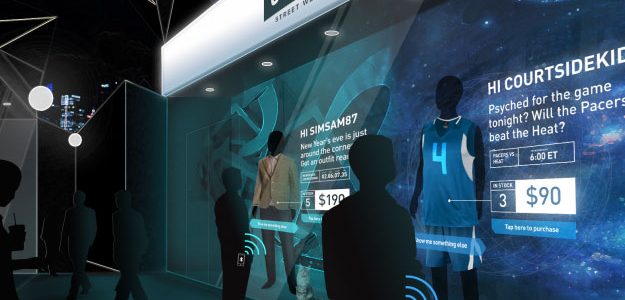

Review the physical environment
A display that works well in one environment may not be appropriate in another.
Viewing distance, ambient light, reflections, available mounting surfaces, ceiling height, circulation and the surrounding architecture all affect the result.
A screen positioned close to the audience requires different content proportions and resolution considerations from a large display viewed from farther away.
The physical environment should therefore be reviewed alongside the communication requirement before dimensions or display technology are finalized.
Plan around the audience and viewing context
The same message can require a different solution depending on how people encounter it.
A visitor walking through a lobby may have only a few seconds to see directional information. A customer standing at a counter may have more time to read a menu. A shopper at a shelf is interacting with information at very close range.
Understanding where people stand, how long they are likely to view the screen and what other visual information competes for attention helps define the role of the display.
The objective is not to promise a particular behavioral outcome, but to plan the screen around realistic viewing conditions.
Explore the industry context
Display requirements also change by sector.
Retail, automotive, hospitality, healthcare, education, corporate environments, real estate, transportation and other sectors each have different operational conditions, audience expectations and installation constraints.
Our industry applications provide examples of how display roles can be considered within specific business environments.
These pages are intended to help define the application context before moving into detailed product or engineering decisions.
Know when deeper engineering is required
Some installations can use relatively standard mounting and connection methods. Others require more detailed coordination.
Large LED structures, unusual mounting conditions, architectural integration, complex cable routes, ventilation requirements, limited maintenance access or site-specific structural conditions may require a deeper technical approach.
In those cases, engineered solutions provide the next level of planning around structure, mounting, power, data, control, access and installation requirements.
The Solutions Hub identifies that pathway without duplicating the detailed engineering scope itself.
Separate the display from source systems
A display can present information from many different sources, but the screen should not automatically be treated as the software or business system behind that information.
Content-management platforms, POS systems, visitor-management tools, databases, booking systems, live data feeds and other third-party applications may require separate software, integration or commercial scope.
Those dependencies should be identified early so that the display system can be planned around the actual requirements for connectivity, control and content delivery.
This helps keep hardware, installation and third-party responsibilities clear from the beginning.
Prepare the initial project brief
An initial consultation is more useful when the basic project conditions are already understood.
Useful information can include the location of the display, approximate dimensions, viewing distance, indoor or outdoor environment, intended content, available power and data, mounting conditions and whether the project involves a single location or a wider rollout.
Reference images, drawings or architectural plans can also help define the next step.
From there, the project can move toward the appropriate product family, industry application or technical solution without selecting equipment before the requirement is clear.
NEXT STEP
Let us plan the right display system for your space.
If you are planning a new display project, Spectracolor can review the communication requirement, physical environment and intended application with you and help identify the most appropriate path before the system is finalized.
Talk to Spectracolor →