
DIGITAL SIGNAGE
Digital signage systems planned around content, audience and environment
Digital signage is more than choosing a screen.
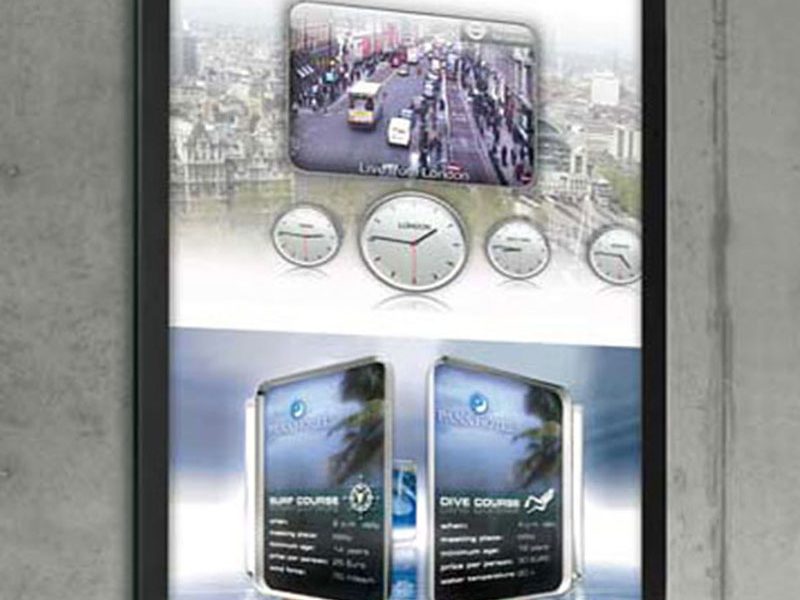
A successful system depends on what needs to be communicated, who needs to see it, how often the content changes, where the displays will operate and how the hardware will be installed and maintained.
That can involve a single display at one location or a coordinated group of screens across multiple spaces.
The right approach is to define the communication requirement first, then select the display format, control method and installation details around that requirement.
Start with the communication objective
Before choosing hardware, define what the signage needs to do.
A display may be used for information, promotions, wayfinding, branding, menus, announcements, schedules or other visual communication.
The communication objective influences screen size, orientation, placement, viewing distance and how frequently content needs to change.
A lobby display showing corporate information has different requirements from a menu board, directory, storefront screen or interactive kiosk.
Projects that are still at the early decision stage can begin with broader display solutions before selecting a specific hardware format.
Identify the audience and viewing conditions
The audience helps determine how the display should be positioned and specified.
Important questions include:
- How far away will people normally view the screen?
- Will they be standing, walking or passing in a vehicle?
- How long will they typically look at the content?
- Does the content need to be read quickly?
- Will viewers interact directly with the screen?
- Is the space brightly lit, controlled or exposed to daylight?
These factors affect screen dimensions, resolution, pixel pitch, brightness and content density.
A system intended for close viewing should not be specified in the same way as a large screen viewed from across a public space.
Choose the right display format
Different display products suit different applications.
Commercial LCD screens can be suitable for many indoor signage applications where standard screen dimensions and close viewing are appropriate.
LED can support larger or custom-format visual surfaces where scale, modularity or architectural integration are important.
Interactive applications may require digital kiosks with touch or other defined user-interface requirements.
Tenant and destination information may be better suited to digital building directories.
Food and beverage environments may require digital menu boards.
Storefronts can require digital window displays designed around glazing, daylight and reflections.
The wider range of display products can be compared before a final format is selected.
VISUAL REFERENCES
Real display environments

Plan indoor and outdoor requirements separately
Environmental conditions can change the display specification significantly.
Indoor screens typically operate in more controlled conditions, but ambient light, reflections, heat and viewing distance still need to be considered.
Exterior installations may need to account for rain, dust, solar exposure, temperature changes and higher daylight levels.
Semi-exposed locations can require more careful evaluation because they do not always fit cleanly into an indoor or outdoor category.
Projects that depend strongly on environmental selection can be compared through indoor and outdoor LED screens before the final system is chosen.
Define how content will be controlled
Digital signage requires a defined content source and control method.
That may involve a local media source, a content-management platform or another approved control environment depending on the project.
The display hardware should be planned around the required control method, but software scope should remain clearly separated.
Spectracolor plans and supplies the display system, control requirements and installation. Content-management software, network services, data sources, integrations and interactive applications are defined separately according to the project scope and may involve third-party platforms.
This prevents the hardware specification from being confused with software, cloud or managed-service responsibilities that have not been explicitly included.
Coordinate power, data and signal paths
Every screen requires supporting infrastructure.
Power, signal routing, controller locations and cable paths need to be considered early enough that they can be coordinated with the architecture and surrounding services.
The required arrangement depends on the selected display technology, screen dimensions, distance from source equipment and installation method.
Where several displays are used, the system layout should also consider how those screens will be grouped, controlled and accessed.
Network design, internet service and third-party IT infrastructure should remain separately defined unless specifically included in the project scope.
Plan mounting and physical integration
The display needs to work with the physical space around it.
Screens may be wall-mounted, recessed, suspended, freestanding or integrated into joinery, kiosks or architectural structures.
The mounting method influences dimensions, access, cable routing and service requirements.
Large LED systems or unusual installations may also require custom frames, structural interfaces or more detailed technical planning.
Where the mounting conditions are non-standard, engineered solutions can help define the display-related structure, power, cabling, ventilation and service provisions within the agreed project scope.
Allow for ventilation and heat management
Digital displays generate heat and need appropriate ventilation.
This becomes especially important when screens are recessed into walls, installed inside enclosures or positioned close to glazing.
Heat buildup can affect equipment performance and serviceability.
The ventilation strategy should therefore be considered together with the enclosure, mounting location and surrounding finishes.
For storefront installations, glazing and solar exposure can add further thermal considerations.
Make service access part of the design
Maintenance should not be treated as an afterthought.
Screens, power supplies, controllers and cables need to remain accessible after installation.
Some systems are designed for front service, while others require rear access.
The appropriate arrangement depends on the selected product and the physical constraints of the site.
A screen that looks clean when installed but cannot be reached for maintenance can create unnecessary complexity later.
Service access should therefore be reviewed before walls, joinery or structural finishes are closed.
Consider whether interaction is required
Not every digital signage project needs interaction.
Many systems are intended only for presentation and information.
Where users need to search, navigate or select information directly, an interactive format may be appropriate.
Digital kiosks can support defined information and interactive applications when the hardware, enclosure and software scope are planned accordingly.
Touch capability does not automatically include booking systems, payment functions, databases, CRM platforms or other third-party applications.
Those integrations need to be separately specified.
Separate hardware from content and software responsibilities
A digital signage project can involve several different responsibilities:
- display hardware
- mounting and structure
- power and cabling
- controllers and signal distribution
- content-management software
- network connectivity
- data sources
- content creation
- third-party integrations
- ongoing support
These should not be treated as one automatic package.
The project scope should clearly identify which elements are included, which are supplied by other parties and which require separate coordination.
This is especially important where the signage system connects to existing IT infrastructure or external platforms.
Plan multi-screen environments carefully
A project with several screens may require more coordination than a single-display installation.
Screen groups can differ by location, content purpose, orientation, viewing distance and operating schedule.
The hardware layout should account for where equipment is installed, how signals are distributed and how each display will be serviced.
The content-control method should also be defined according to the operational requirement.
A multi-screen deployment does not automatically mean centralized cloud control or unlimited scalability; those capabilities depend on the selected software and project scope.
Match the system to the space
Digital signage can be used across many commercial and public environments.
Retail spaces may use displays for promotions, product communication and storefront visibility.
Corporate environments may use screens for reception areas, internal communication and building information.
Hospitality and food-service locations may use menu boards, wayfinding and promotional displays.
Transportation, healthcare, education and public environments can require information systems designed around readability, durability and operational access.
The display format should be selected around the actual communication requirement rather than applying the same technology to every environment.
Prepare the right information before specification
A useful digital signage assessment should include:
- installation location
- indoor, outdoor or semi-exposed conditions
- available dimensions
- viewing distance
- intended audience
- type of content
- frequency of content changes
- ambient-light conditions
- required orientation
- interaction requirements
- mounting conditions
- power availability
- data or signal requirements
- installation access
- future service access
These inputs make it easier to determine which display format and system approach are appropriate.
NEXT STEP
Discuss your digital signage project
If you are planning a digital signage system, Spectracolor can review the communication objective, environment, display format, viewing conditions, control requirements and installation constraints before the final specification is developed.
Talk to Spectracolor →