
ENGINEERED SOLUTIONS
Engineering display systems around structure, power and installation
Some display projects can be installed using relatively standard mounting and connection methods. Others need a more detailed technical approach because the screen must coordinate with structure, architectural finishes, power, cabling, equipment locations, ventilation, access and installation sequencing.
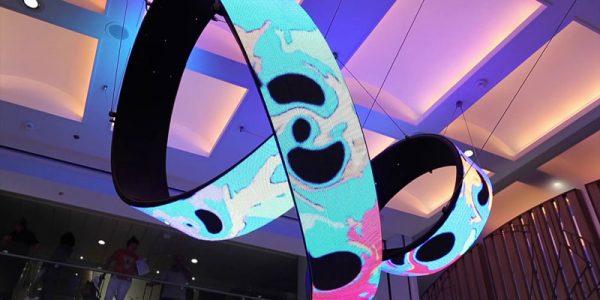
Engineered Solutions is the technical planning path for those more complex conditions.
If the project requirement is still being defined at a broader level, the Solutions Hub provides the starting point. Once the display role and environment are understood, the engineering work can focus on how the selected system will physically fit, connect, operate and remain serviceable within the site.
Start with verified site conditions
Technical planning should begin with the actual installation environment rather than assumptions about the space.
Useful inputs can include architectural drawings, structural information, site measurements, photographs, available power, cable routes, ceiling or wall construction, access limitations and surrounding building services.
Dimensions also need to be coordinated against the intended display size, mounting method and available clearances.
Where dimensions or site conditions remain uncertain, those items should be identified before fabrication or installation decisions are finalized.
Define the supporting structure and mounting interface
A display needs a clear connection to the building, support frame or mounting surface around it.
The required approach depends on the display type, dimensions, weight, orientation and site conditions.
Wall-mounted LED, suspended structures, freestanding systems and architectural integrations can each require different supporting arrangements.
Projects such as a media façade can introduce additional coordination because the display may interact directly with external building surfaces, architectural elements, access routes or weather-exposed conditions.
Where structural design, approval or certification must be carried out by a licensed professional, that responsibility should be defined explicitly within the project scope rather than assumed as part of the display supply.
Plan power and isolation requirements
Power should be coordinated early enough to avoid treating it as an installation-stage problem.
The display load, equipment locations, distribution method, isolation points and access to electrical components all affect the final arrangement.
Cable routes should be planned with the building layout and surrounding services in mind.
Where electrical engineering, protection design or regulatory approval is required, those responsibilities should be assigned to the appropriately qualified party within the project.
The objective is to make the display requirements clear so the electrical provision can be coordinated correctly.
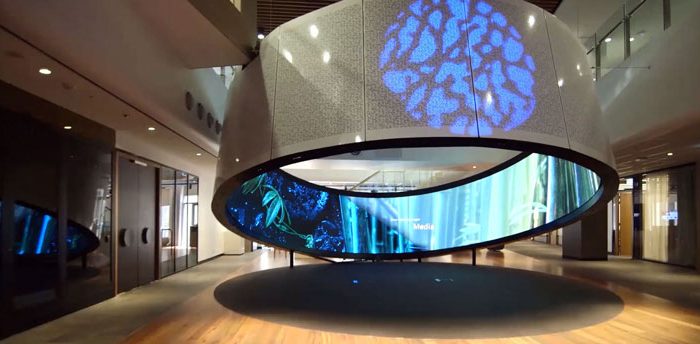
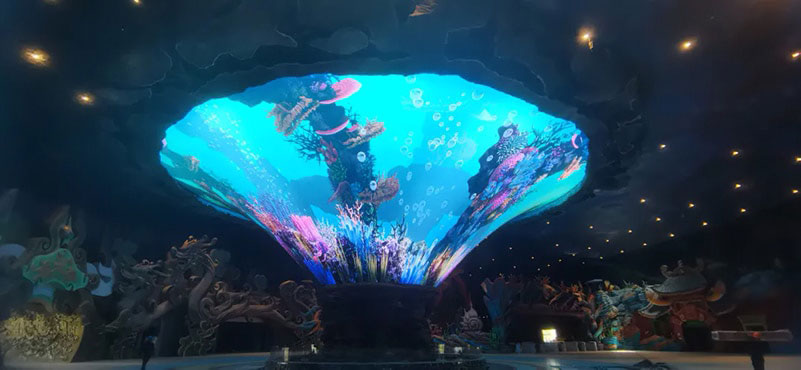
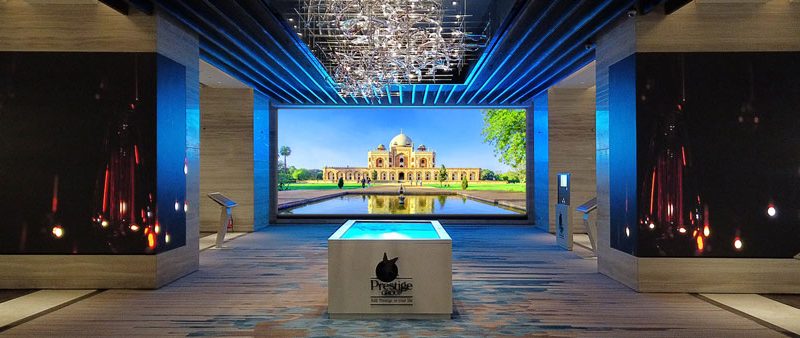
VISUAL REFERENCES
Real display environments


Coordinate signal, data and control equipment
LED and digital display systems also require defined paths for signal, data and control equipment.
Controller positions, equipment cabinets, cable lengths, network availability and service access can influence the system layout.
For broader digital signage deployments, content-management platforms, network infrastructure and third-party software may form part of a separate systems scope.
The display engineering work should therefore distinguish between the physical display-control requirements and any external software, network or business platforms supplying content or data.
Consider ventilation, equipment space and service access
A technically complete installation needs space not only for the visible display but also for the equipment supporting it.
Ventilation, heat dissipation, controller locations, power equipment, access panels and maintenance clearances may all need to be considered.
These requirements can become particularly important when displays are recessed into walls, integrated into joinery or placed behind architectural finishes.
Access should be planned before the installation is closed around the equipment.
A screen that fits physically but cannot be reached for inspection or component replacement can create avoidable difficulties later.
Coordinate with architecture and other trades
Display installation rarely happens in isolation on a larger project.
The screen may need to coordinate with steelwork, ceilings, electrical services, data cabling, wall finishes, glazing, joinery, HVAC and other site activities.
Defining interfaces early helps clarify which party is responsible for each element and when that work needs to occur.
This is especially important when display products are being installed as part of a wider fit-out or construction programme rather than added after the space is complete.
The engineering scope should identify these interfaces without assuming responsibility for unrelated trades.
Plan the installation sequence
The order in which equipment arrives and is installed can affect both access and finished quality.
Some structures must be completed before display modules can be mounted. Other projects may require temporary access equipment, protected work areas or coordination around occupied spaces.
Cable routes and equipment locations may also need to be prepared before architectural finishes are closed.
Installation planning should therefore reflect the actual site sequence, access conditions and dependencies agreed for the project.
Define testing, calibration and handover
Testing and handover should be tied to the equipment and responsibilities included in the agreed scope.
This can include confirming display operation, signal paths, module alignment, visual settings and the physical installation of supplied equipment.
Where external software, networks, data sources or third-party control systems are involved, their own testing and acceptance responsibilities should be defined separately.
Handover information can also document equipment locations, access points and other information useful for future service work.
Design for maintenance and future replacement
Displays contain components that may eventually need inspection, service or replacement.
The system should therefore be planned with realistic access to modules, power equipment, controllers and cabling.
Where possible, the mounting arrangement should also consider how individual components could be removed without unnecessarily disturbing surrounding finishes.
Future expansion or modification should not be guaranteed unless it has been specifically designed into the project, but practical service access can still be considered from the beginning.
NEXT STEP
Discuss the technical requirements
If your display project involves custom mounting, structural interfaces, complex power or cabling, architectural integration or restricted service access, Spectracolor can review the display-related technical requirements with your project team and help define the appropriate installation scope before implementation.
Talk to Spectracolor →