
OUTDOOR LED
Outdoor LED screens planned around daylight, exposure and service access
Selecting an exterior LED display starts with the site conditions rather than a generic outdoor specification. Viewing distance, daylight, physical dimensions, content, weather exposure, structure, power, thermal conditions and maintenance access all influence the equipment and installation requirements.
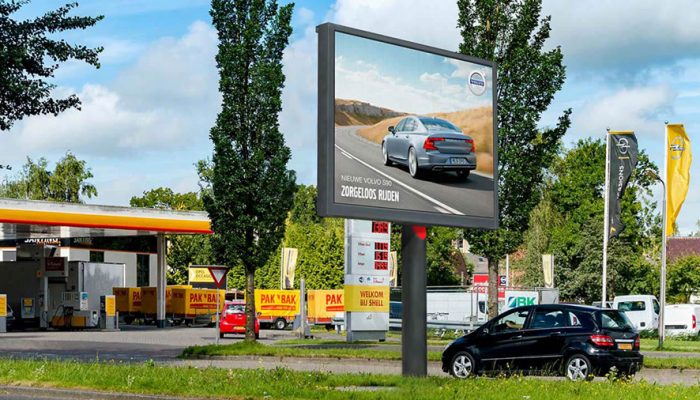
An outdoor LED screen or digital billboard needs to work as a physical display within a particular location. A product label alone cannot establish whether the completed installation will suit that location.
Spectracolor can review the display requirements and installation conditions before the final specification is developed. The starting point is to understand how the screen will be viewed, what it must display and how it will be installed, connected and serviced.
Confirm the actual exposure conditions
Record whether the proposed position is fully exposed, sheltered, under a canopy, semi-exposed or facing through glazing. An exterior address does not describe all the conditions around the equipment.
Rain direction, moisture, dust, direct sunlight and nearby surfaces can affect the installation. A canopy or enclosure should not be assumed to provide every protection the selected equipment requires.
Where the environmental category is still uncertain, compare indoor and outdoor LED screens before selecting the product direction. Once exterior use is established, specify the display around the actual exposure rather than the location label alone.
Plan brightness around daylight and nighttime viewing
Review the direction of sunlight, screen orientation, ambient light and surrounding reflections at the intended viewing positions. Conditions can change through the day, and the content must remain useful within those conditions.
Daytime visibility and nighttime viewing require separate consideration. Higher brightness is not automatically better, especially when the surroundings become darker or viewers are close to the display.
Brightness control or dimming may be needed for the application and local conditions. Define daytime and nighttime operation, viewing distance and intended content before agreeing the operating levels and control method.
Choose viewing distance and pixel pitch together
Identify the closest expected viewer and the positions from which most people will normally see the screen. Also consider whether viewers are stationary or passing and how long they are likely to look at the content.
Pixel pitch describes the spacing between adjacent pixel centers. It works together with physical screen dimensions and the resulting native pixel matrix to determine how much detail the display can present.
Smaller pitch is not automatically better. Compare the required content detail, viewing positions, display size and selected equipment rather than relying on a universal distance rule.
Separate screen dimensions from resolution
Physical width and height describe the size of the display surface. Native resolution describes the number of pixels across and down that surface, based on pitch and the selected module or cabinet arrangement.
A large screen is not automatically a high-definition screen. Source-content resolution can differ from the native pixel matrix, so the processing system may need to scale the material.
Review text size and representative graphics at the intended viewing positions. Screen size, pixel count and source resolution should be checked together before the configuration is finalized.
Plan content before finalizing the display format
Advertisements, information, branding and event content can place different demands on the screen. Small text, detailed graphics and motion need to be considered alongside viewing behavior and the time available to understand the message.
Choose the aspect ratio and content layout before fixing the display dimensions. Decide how source material will be scaled, cropped or placed within the native display area, and assign responsibility for preparing suitable content.
The wider digital signage plan defines communication objectives, content-control requirements and operational responsibilities. Those decisions inform the outdoor display specification without making content creation or a management platform an automatic part of the hardware supply.
Verify environmental protection for the selected equipment
Review rain, moisture and dust exposure together with seals, cable entries, connections, drainage and enclosure interfaces. Protection depends on how the selected equipment is configured and installed, as well as the conditions it faces.
Ingress-protection requirements must identify the equipment, installed configuration and surfaces or components being rated. A rating on a module, cabinet or enclosure must not automatically be represented as a rating for the entire installed display system.
Confirm the applicable product documentation and installation requirements before specifying protection. Do not treat an outdoor product label as evidence that every component or connection has the same rating.
VISUAL REFERENCES
Real display environments
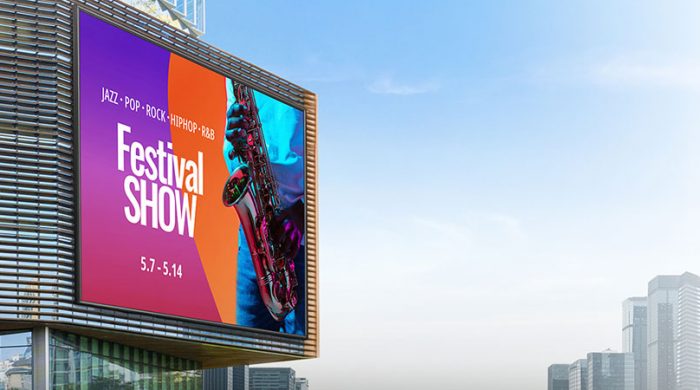
Account for solar load and temperature
Direct solar exposure can add heat to the display and its surrounding enclosure. Orientation, nearby surfaces and the installation location can therefore affect thermal conditions.
Operating-temperature limits belong to the selected equipment. The temperature around enclosed components should not be assumed to match the general outdoor air temperature.
Review solar heating, enclosure conditions, airflow and heat rejection together. The specification should follow the selected equipment requirements rather than a generic outdoor temperature range.
Coordinate mounting, support and wind exposure
Outdoor displays may be wall-mounted, attached to a pole or frame, or carried by an independent support. Each arrangement needs a defined interface with the building or supporting structure.
Review the support condition, display dimensions, weight, wind exposure, mounting points and loads associated with servicing and access. Existing construction should not be assumed suitable simply because the display fits the available area.
An engineered display solution can coordinate display-related mounting, power, signal and service interfaces within the agreed project scope. Structural design and any required engineering approval remain the responsibility of the appropriate qualified parties.
Plan power, signal and controller locations
Establish the electrical supply requirements, isolation arrangements and cable routes for the selected configuration. Signal paths, controller positions and equipment locations should be coordinated before the mounting and enclosure are finalized.
Connections need physical protection appropriate to the installation, while power supplies and control equipment must remain accessible. Electrical design and installation responsibilities should be assigned to the appropriate parties.
Display hardware does not automatically include a CMS, cloud platform, internet service, network infrastructure, analytics, scheduling software, data integration or content creation. These remain separate project requirements unless specifically included.
Plan ventilation and thermal management
LED equipment generates heat. The required airflow and heat-rejection arrangements depend on the selected equipment, operating conditions and the space around the display.
Enclosures and architectural finishes can restrict airflow, while solar exposure can add to the thermal load. Coordinate ventilation with weather protection and access rather than treating these as separate installation details.
Follow the equipment requirements for clearances, airflow and any specified cooling arrangement. Outdoor classification alone does not establish that an enclosed display will have adequate ventilation.
Design service access before installation
Front and rear service arrangements depend on the selected equipment and configuration. Confirm how modules, power supplies, controllers and signal connections will be reached after installation.
Working clearance, access routes and tools may affect the structure or enclosure dimensions. Elevated displays may also require access equipment and a suitable area from which maintenance can be carried out.
Plan these provisions before finalizing the support and surrounding finishes. A screen that fits its mounting position must also allow the maintenance work required by the selected system.
Distinguish conventional outdoor screens from architectural systems
A conventional outdoor screen is primarily a defined display surface, such as a digital billboard or a screen attached to a wall or independent support. Its specification follows the viewing requirements and physical site conditions.
Architecture-led media façades use the building exterior as part of the display concept. Façade geometry, glazing, cladding and the relationship between the display and the building can become central design considerations.
Establish which role the display needs to serve before selecting the construction. Attaching a screen to a building does not, by itself, make the project an integrated media façade.
Consider visibility and transparency only where required
Some applications need sightlines through glazing or a supporting structure. That requirement should be identified alongside the intended content, viewing distance and architectural conditions.
Where sightlines matter, transparent LED displays may be a product direction to assess. Transparent construction does not automatically make a system appropriate for outdoor exposure; environmental suitability must be verified separately for the selected equipment and installation.
Compare other product directions when LED is not automatically the answer
An exterior communication requirement does not establish that every location needs the same display technology. Scale, viewing distance, content, exposure, architecture and service requirements should guide the product direction.
Compare the available display products where another format may better suit the application. Any alternative still needs verified suitability for its actual operating environment and installation conditions.
Plan installation and future maintenance
Review the delivery route, lifting requirements, installation access and working area before equipment arrives. Public circulation, traffic interfaces and other site activities may affect how the work is organized.
Agree installation sequencing and coordination with the site operator and other contractors. Mounting, cabling, equipment movement, testing and handover need to follow the actual access conditions.
Future maintenance also needs planned service windows, access equipment and assigned responsibilities. Establish how the display can be reached and how the working area will be managed when repairs or replacements are required.
Separate warranty, service and spare-parts terms
Manufacturer or product warranty, pixel warranty and complete-system warranty are different forms of coverage. Confirm the applicable terms, exclusions and responsibilities for the selected equipment and project.
Define the spare-parts strategy, replacement arrangements and ongoing maintenance responsibility separately. Service response and support depend on the agreed service scope rather than following automatically from the display purchase.
A component lifetime figure should not be presented as a universal lifespan for the installed system. Warranty, maintenance and replacement planning should follow the documented product terms and intended operating conditions.
Prepare the right information before specification
A useful outdoor LED assessment should include:
- installation address and environment
- fully exposed, sheltered or semi-exposed conditions
- available width and height
- screen orientation
- closest viewing distance
- typical viewing distance
- intended content
- source-content format
- daylight direction
- nighttime operating requirements
- mounting and support condition
- wind exposure information
- power availability
- signal and data routes
- controller and equipment locations
- ventilation conditions
- front or rear service access
- installation access
- operating hours
- maintenance requirements
- warranty and service expectations
- site photographs and drawings
These inputs help establish the display dimensions, pixel matrix, environmental requirements and installation provisions before the final equipment specification is agreed.
NEXT STEP
Discuss your outdoor LED requirements
Share the available dimensions, viewing distance, environmental exposure, daylight conditions, intended content, mounting conditions, power availability and access requirements. Spectracolor can review these inputs with you before the final outdoor LED specification is developed.
Talk to Spectracolor →